
.avif)
Why Your LG Air Conditioner Needs Quick Attention
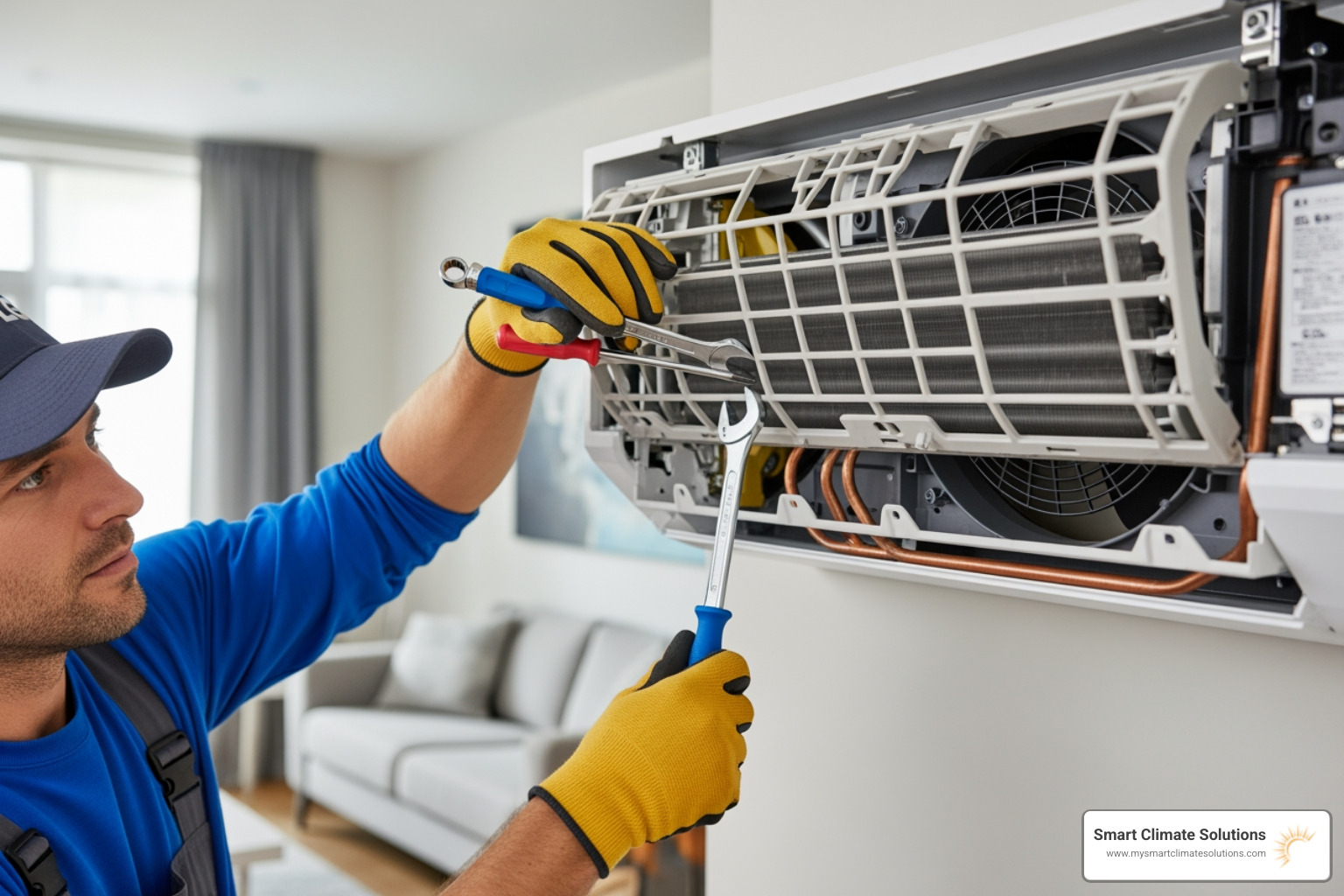
When you need to fix LG air conditioner issues, you are probably sweating through a warm day wondering why your unit is not doing its job. The good news? Most LG AC problems have simple solutions you can handle yourself before calling a technician.
Quick fixes to get your LG AC cooling again:
- Check power supply - Reset the circuit breaker marked "Air Conditioner" or "A/C"
- Replace remote batteries - Dead batteries are the most overlooked cause of AC not turning on
- Clean or replace air filter - Dirty filters block airflow and reduce cooling by up to 15%
- Clear outdoor unit - Remove debris from condenser coils and ensure proper ventilation
- Verify thermostat settings - Confirm "Cool" mode is on and temperature is set below room temp
- Power cycle the unit - Unplug for 60 seconds or flip breaker off and back on
When to call a professional:
- Hissing or bubbling sounds (refrigerant leak)
- Persistent humming from outdoor unit (faulty capacitor)
- Ice buildup that returns after thawing
- AC blows cold for one minute then stops (short cycling)
- Electrical burning smell
The research shows that dirty air filters are the number one cause of LG air conditioner cooling problems, blocking airflow and making your system work harder than it should. LG recommends cleaning reusable filters every two weeks to prevent these issues.
I am Bill Scott, general manager of Smart Climate Solutions, and I have spent over 20 years helping Pittsburgh homeowners fix LG air conditioner problems ranging from simple filter clogs to complex compressor failures. This guide will walk you through the most common issues and show you exactly when DIY makes sense versus when it is time to bring in the pros.
Quick Checks Before You Try to Fix LG Air Conditioner
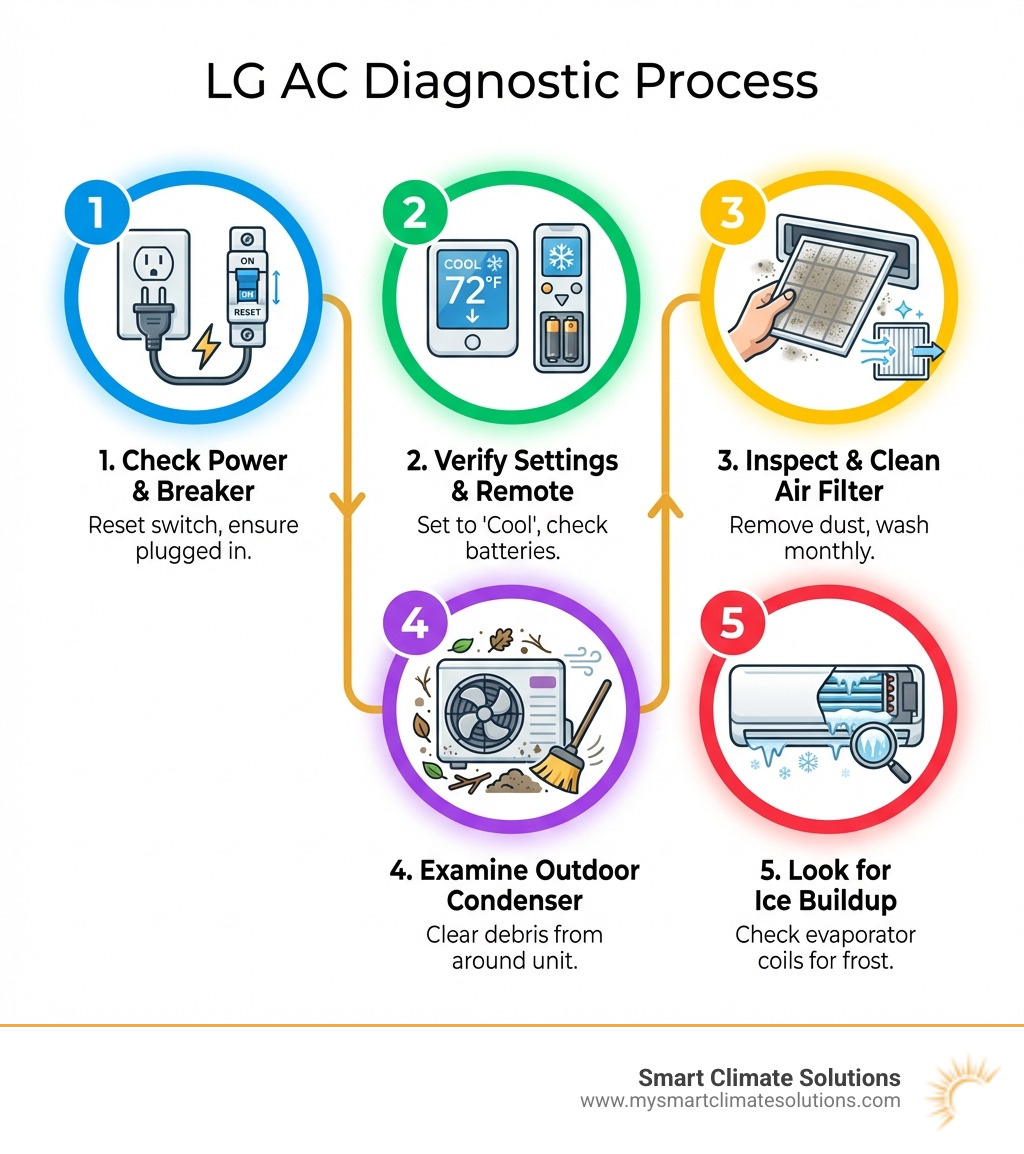
Before you start tearing apart your unit or ordering expensive parts, we always recommend a "back to basics" approach. You would be surprised how many service calls in the South Hills or Washington PA area end up being a simple matter of a tripped switch or a toddler playing with the remote!

When you want to fix LG air conditioner units that will not start or cool, start with the power. Ensure the unit is plugged in securely. If it is a window unit, check the GFCI (Ground Fault Circuit Interrupter) on the plug itself. If the little light is off, press the "Reset" button.
Next, look at your remote. If the display is faint or blank, the batteries are likely dead. Even if the display looks okay, the IR (Infrared) signal might be too weak to reach the unit. For more advanced troubleshooting, you can visit the Official troubleshooting tips from the LG Support website to find model-specific diagrams.
Identifying Power Supply Issues
If the unit has no lights and will not respond to anything, the circuit breaker is the most likely culprit. In many homes across Pittsburgh and Steubenville, AC circuit breakers are located in the main electrical panel, but sometimes they are in shoe racks or near the outdoor unit itself.
If the breaker has tripped, it might look like it is still "on" but feel spongy or be caught in the middle. To properly reset it, flip it all the way to the "Off" position first, then flip it back to "On." If it trips again immediately, do not force it; this indicates a serious electrical fault that requires professional HVAC Service and Repair.
Verifying Thermostat and Remote Settings
Sometimes the "fix" is just a setting change. Ensure your LG AC is actually in "Cool" mode. If it is accidentally set to "Fan" or "Dry," the compressor will not kick in, and you will just have warm air blowing around. Set the temperature at least 3 to 5 degrees below the current room temperature to trigger the cooling cycle.
A great pro tip for testing your remote: use your smartphone camera! Point the remote at the camera lens and press a button. If the remote is working, you will see a flickering purple or white light on your phone screen (note: this trick usually does not work on newer iPhones with IR filters, so try an older phone or the front-facing "selfie" camera). If you see no light, it is time for new batteries or a new remote.
Solving Common Cooling and Airflow Problems
If your fan is spinning but the air is not cold, you are likely dealing with an airflow restriction. We see this constantly in our service area, especially during the humid summers in Weirton WV and St. Clairsville OH.
When airflow is blocked, your LG AC cannot "breathe." This causes the system to work overtime, leading to higher bills and eventual mechanical failure. For a deeper dive into preventing these issues, check out our More info about AC Maintenance guide.
How to Fix LG Air Conditioner Airflow Issues
The most common reason an LG AC is not cooling but the fan is running is a filthy air filter. LG units typically use reusable mesh filters. We recommend cleaning these every two weeks.
To clean your filter:
- Turn off and unplug the unit.
- Open the front grille and slide the filter out.
- Use a vacuum to remove loose dust.
- Wash the filter in lukewarm water with a mild detergent.
- Crucial Step: Let it air dry completely before reinstalling. Putting a wet filter back can lead to mold growth.
If your filter is clean but you still have issues, check the outdoor condenser coils. If they are covered in grass clippings, dirt, or cottonwood seeds, the unit cannot release heat. You can gently rinse these with a garden hose (never use a pressure washer, as it will bend the delicate aluminum fins). For more on this specific symptom, read our guide on LG AC Not Cooling But Fan is Running.
Thawing Frozen Evaporator Coils
Have you noticed ice forming on the front of your unit or water dripping from the casing? Your evaporator coils are likely frozen. This happens when airflow is so restricted (by a dirty filter) that the refrigerant gets too cold and freezes the moisture in the air.
To fix this:
- Turn the mode to "Fan Only."
- Let the ice melt naturally. Do not try to scrape it off, as you might puncture the coils.
- Once the ice is gone and the filter is clean, try the "Cool" mode again. If it freezes back up immediately, you likely have a refrigerant leak or a failing blower motor.
Dealing with Electrical and Mechanical Failures
Some problems go beyond a simple cleaning. If you hear a loud humming noise but the outdoor fan is not spinning, or if you hear a clicking sound followed by silence, you might have a mechanical failure.
When to Fix LG Air Conditioner Electrical Components
The most common electrical failure in an LG AC is the capacitor. Think of the capacitor like a large battery that gives the motor the "kick" it needs to start. If it fails, the compressor or fan motor will not start, even though the unit has power.
While some homeowners attempt to replace capacitors themselves, they store a high-voltage charge even when the power is off. For safety and to ensure the longevity of your system, we recommend calling for professional HVAC Service and Repair. We serve the entire Pittsburgh area and can usually get your cooling back up and running the same day.
Signs of Low Refrigerant
Refrigerant is not like gas in a car; it does not get "used up." If your refrigerant is low, it means you have a leak.
Signs of a leak include:
- Hissing or bubbling noises coming from the lines.
- The air coming out of the vents is barely cool, even if the unit runs constantly.
- Ice buildup on the copper refrigerant lines.
Handling refrigerant requires specialized tools and certification. Furthermore, old units that need to be replaced should be disposed of properly through local programs. For information on responsible disposal, you can check Information on electronics recycling programs.
Mastering LG Specific Features and Remote Functions
LG air conditioners come with some pretty cool (pun intended) technology. Understanding these can help you fix LG air conditioner performance issues that are not actually "broken" but just configured incorrectly.
Using Advanced LG Remote Modes
- Jet Mode: This pushes the fan to its absolute maximum and drops the temperature setting to 64 degrees F (18 degrees C) for 30 minutes to cool a room fast. If your AC seems "too loud" or "will not stop running," check if Jet Mode was accidentally activated.
- Energy Saving: This mode shuts the fan off whenever the compressor is off. It saves money but can make the room feel "stuffy" because air is not circulating.
- I Control Ampere: This is an LG-specific energy management feature. If set too low, it limits the power the AC can draw, which might result in poor cooling performance in very hot weather.
| LG Mode | Function | Impact on Cooling |
|---|---|---|
| Jet Mode | Max fan speed for 30 mins | Highest cooling power |
| Energy Saving | Fan cycles with compressor | Moderate; saves electricity |
| Dry Mode | Dehumidification focus | Lowers humidity, light cooling |
| Fan Mode | Only moves air | No cooling |
Resetting the Unit and Remote Control
If your unit is "glitching" or the remote is not syncing, a reset is often the cure. To reset the unit, unplug it for a full 60 seconds. This clears the control board's memory.
To reset the remote:
- Open the battery cover on the back.
- Look for a tiny hole labeled "Reset."
- Use a paperclip to press the button inside.
- This will restore the remote to factory settings and can often fix issues where the remote and AC are "out of sync."
Frequently Asked Questions
How do I reset my LG air conditioner?
The most effective way is the "60-second rule." Unplug the unit or flip the circuit breaker off for one minute. This allows the electrical charge to dissipate from the capacitors and resets the internal sensors. Also, check the "Reset" button on the power cord's GFCI plug.
Why does my LG AC blow cold air for only a minute then stop?
This is called "short cycling." It is often caused by a dirty air filter or a faulty temperature sensor. If the sensor thinks the room is already cold, it will shut the compressor off. It can also happen if your AC unit is too large for the room, causing it to cool the air near the unit too quickly before the rest of the room is comfortable.
How often should I clean my LG filters?
LG recommends every two weeks during the peak cooling season. If you have pets or live near a busy road in Pittsburgh with more dust, you might need to check them weekly. Keeping filters clean is the single best way to avoid having to fix LG air conditioner problems later.
Conclusion
At Smart Climate Solutions, we want you to stay cool without the stress. Most of the time, you can fix LG air conditioner issues just by checking your power, cleaning your filters, and ensuring your remote settings are correct. However, when the problem involves hissing sounds, electrical smells, or complex motor issues, it is best to leave it to the experts.
Whether you are in Burgettstown, South Hills, or Weirton, our team of certified technicians is ready to help with 24/7 emergency support and over 20 years of local experience. Do not spend another minute in the heat! Get expert help with HVAC Service and Repair and let us restore your comfort today.


.png)
